v1.5 [Dec 22, 2016]
- Support for multiple monitors.
- In Photoshop Elements 15 the following new filter is now supported: Adjust Facial Features.
- In Photoshop Elements 14 the following new filters are now supported: Auto Dehaze, Dehaze.
- Support for applying smart filters in Photoshop Elements (Requires ElementsXXL 4.02 or higher).
- The ElementsXXL dialogs of the following filters are displayed: Black & White, Curves, Shadows/Highlights (Requires ElementsXXL 3.50 or higher).
- Support for the following filters in Photoshop Elements: Color Balance, Exposure, Vibrance, Selective Color (Requires ElementsXXL 3.50 or higher).
- Support for shut down via ElementsXXL 4.01 and higher.
- The Change Image Mode dialog was improved.
- The "* Photoshop *" category, which is only displayed in Photoshop Elements, was renamed to "* Photoshop / ElementsXXL *".
- Bug Fix: The Black & White filter cannot be executed in Photoshop Elements 13 and higher anymore if ElementsXXL 3.50 or higher is not installed. This avoids a crash.
- Bug Fix: The combo box in the bottom right corner now works correctly in non-English versions of Photoshop Elements 15.
- Bug Fix: The following category or filter names are localized to other languages now: Noise, Sharpen, Desaturate, Equalize, Match Color, Replace Color.
- Bug Fix: The "Batch..." automation entry which belongs to ActionsXXL and does not work, does not appear in the list anymore.
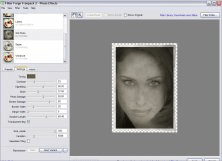


A Photoshop plugin, a pack of filters that generate texturesand visual effects.